


Description
The PiFi Wi-Fi Client System 2.2 is a complete, pre-configured solution designed to capture an existing Wi-Fi signal from one building and deliver reliable internet to a second nearby building. Ideal for garages, barns, workshops, offices, guest buildings, access gates and solar array utility sheds. This system eliminates the need for trenching or running underground cable. Each kit includes the outdoor Wi-Fi client, mounting hardware, and correctly sized Ethernet cables for a simple plug-and-play installation. Just mount, connect, and enjoy dependable internet where it was previously unavailable.
PiFi Wi-Fi Client System 2.2 - Grab an Existing Wi-Fi Signal from One Building into a Second Building
- Send Wi-Fi to a Second Building (100–150 ft) – Captures an existing Wi-Fi signal from your main building and delivers reliable internet to a nearby garage, barn, workshop, office, or guest house.
- Uses Your Existing Internet – Works with your current ISP router and Wi-Fi network; no new internet service or modem required.
- Complete Preconfigured Kit – Includes an outdoor Wi-Fi client, mounting hardware, correctly sized Ethernet cables, and an indoor Wi-Fi router for the remote building.
- No Trenching or Underground Cable – Eliminates the need to dig or run long buried Ethernet lines between buildings.
- Strong Outdoor Signal Capture – Designed to pick up 2.4 GHz and 5 GHz Wi-Fi available outside the main building.
- Reliable Indoor Wi-Fi in Building 2 – Included indoor router provides stable, usable Wi-Fi inside the second structure.
- Simple Installation – Mount the outdoor unit, connect the cables, and power it on—no advanced networking knowledge required.
- Ideal for Farms & Properties – Perfect for rural properties, detached buildings, and short-distance building-to-building Wi-Fi needs.
- One-Time Purchase – No monthly fees and compatible with all major internet providers.
- Used to get Wi-Fi signal in detached garages, barns, workshops, offices, and guest buildings located up to 100–150 feet away.
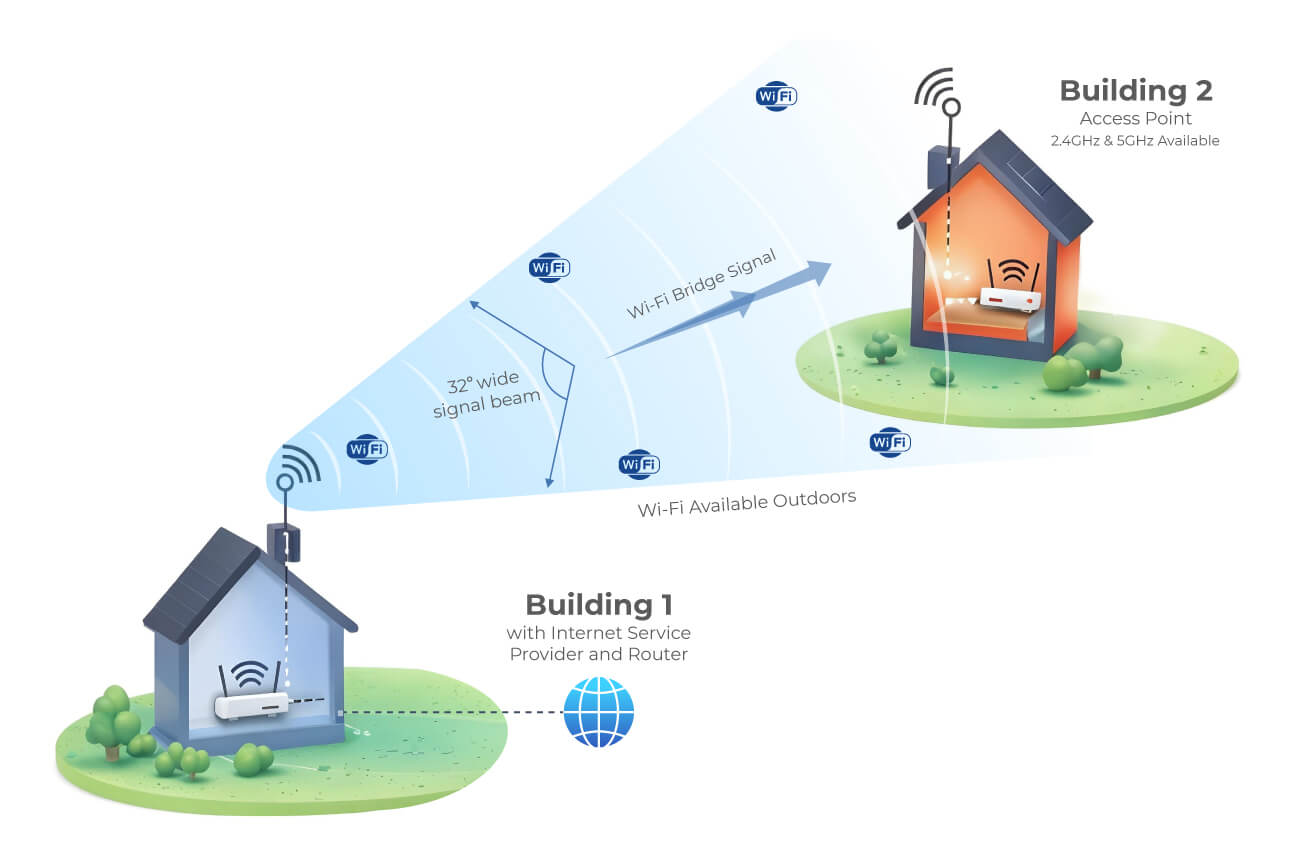
How the System Works
Building 1 – Internet Source
Your existing ISP router provides Wi-Fi
Wi-Fi is available outdoors in a 360° radius around the main building
No changes are required to your current internet setup
Building 2 – Wi-Fi Delivery
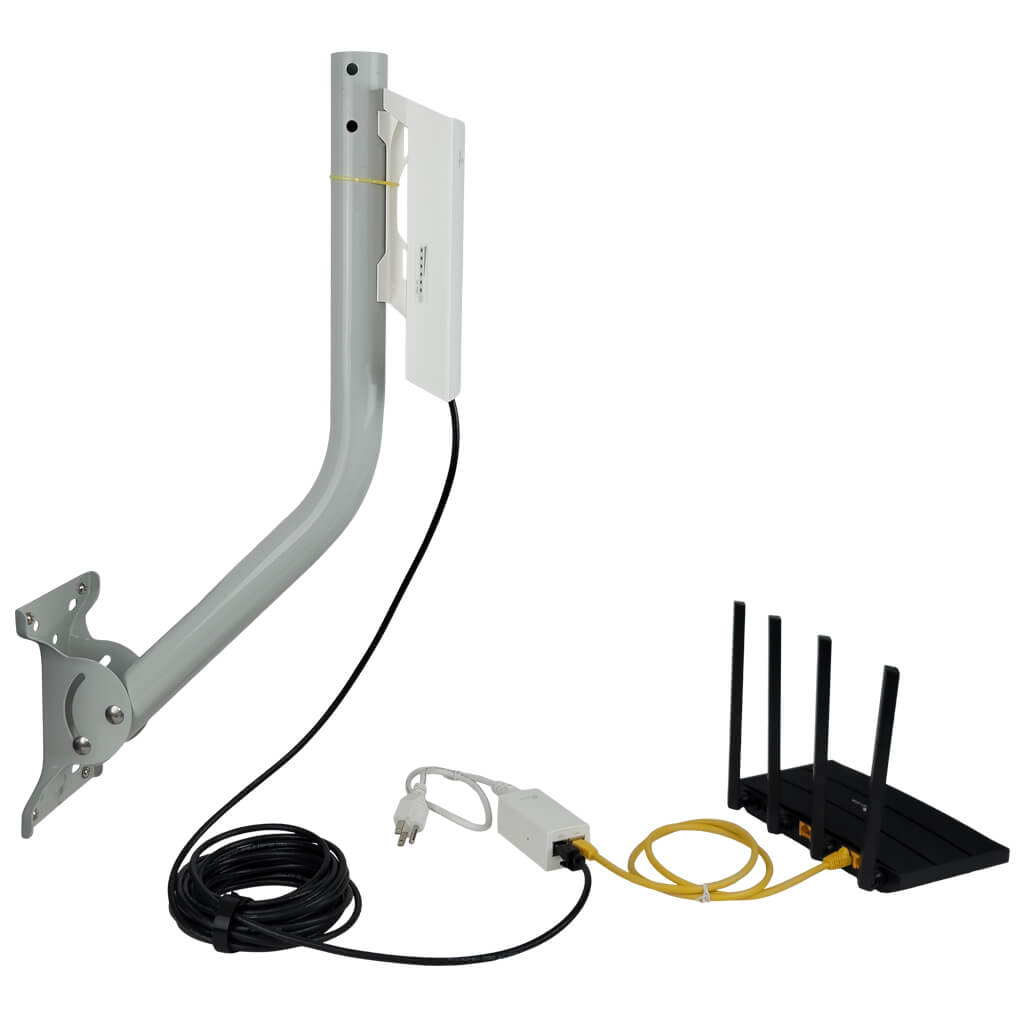
An outdoor client device captures the Wi-Fi signal from Building 1
That signal is carried indoors via Ethernet
An included indoor router distributes Wi-Fi inside Building 2
No trenching. No complicated networking. Just a clean, practical solution.
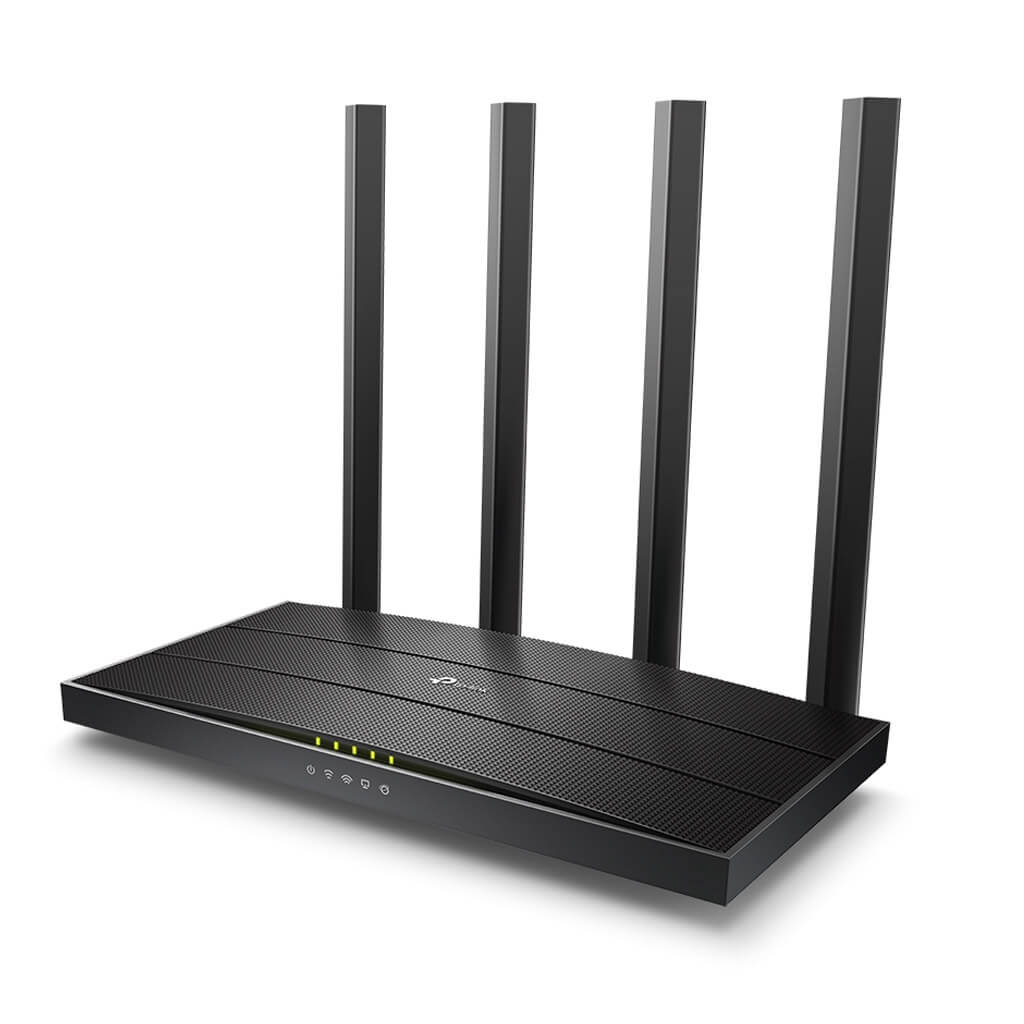
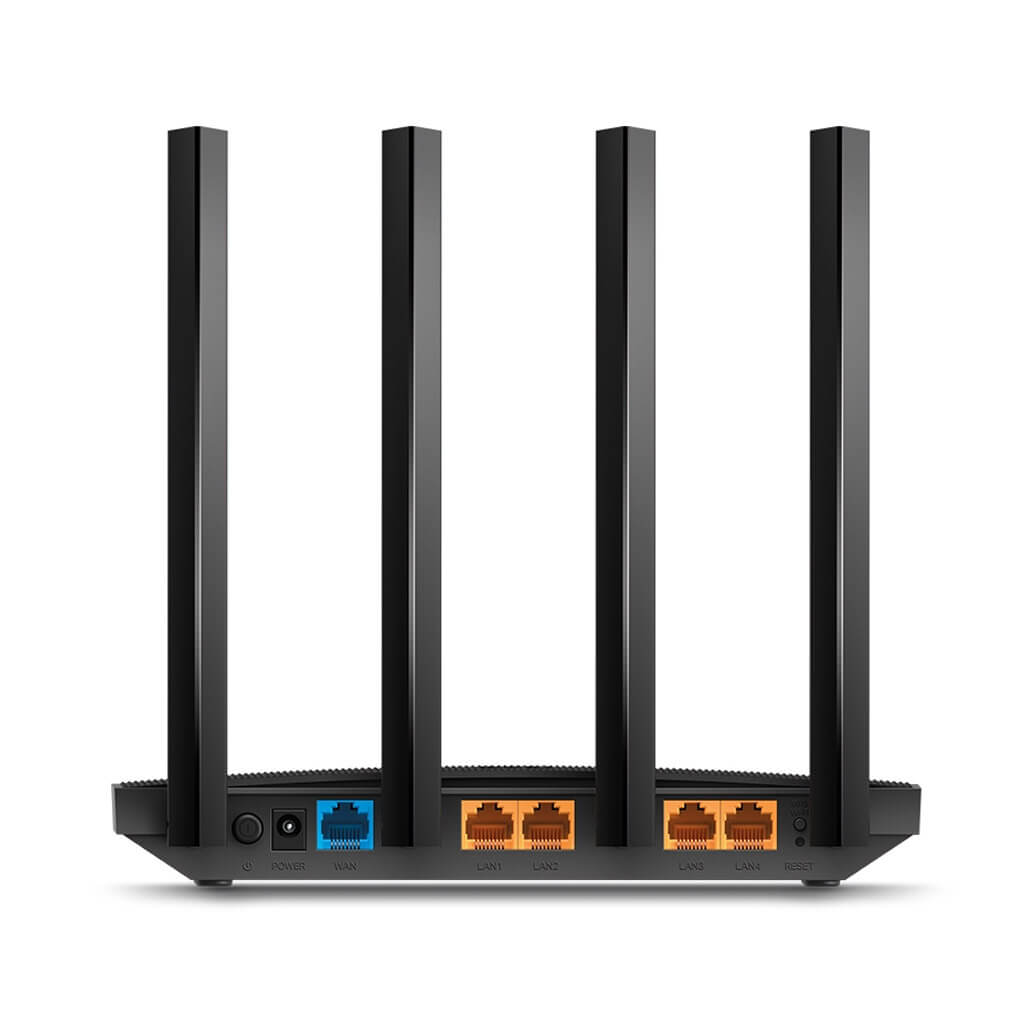
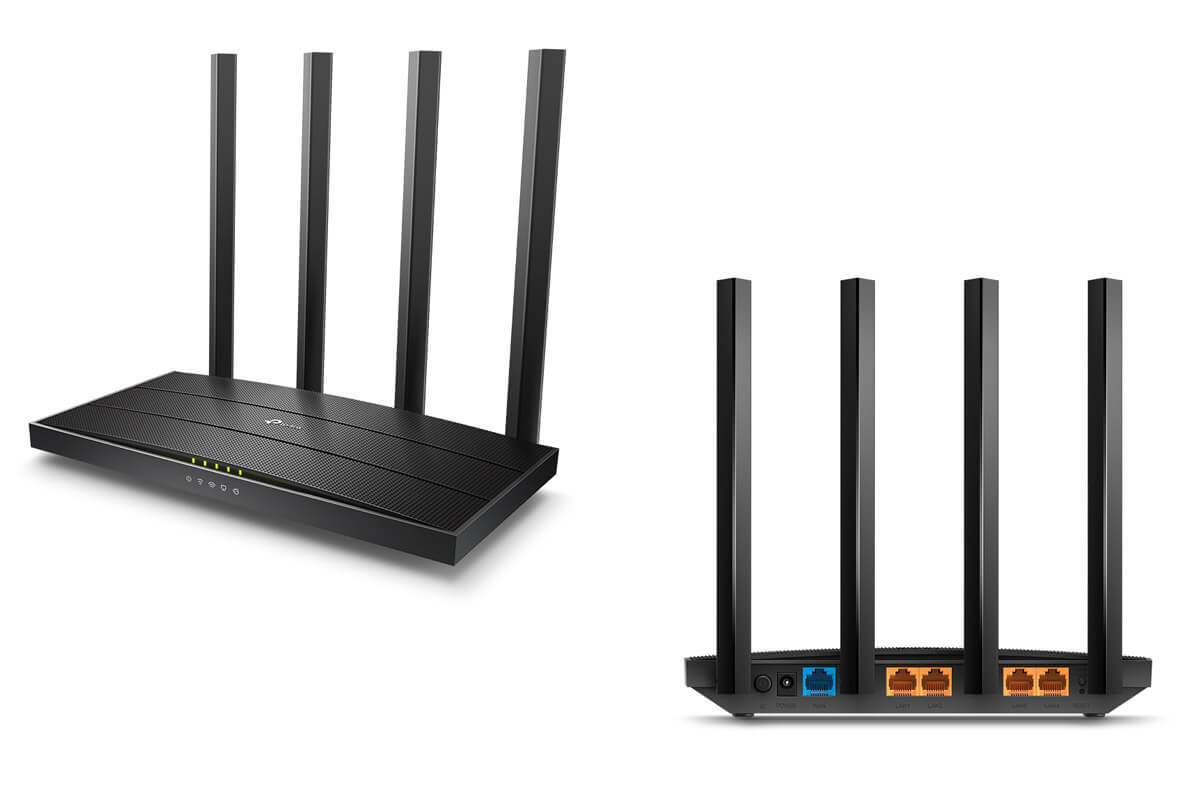
Indoor Wi-Fi Router (Included in Every Kit)
Once the signal reaches your second building, this router creates normal home-style Wi-Fi inside.
What You’ll Notice:
- Fast dual-band Wi-Fi for streaming, browsing, and work
- Handles multiple phones, TVs, cameras, and computers at once
- Stronger coverage thanks to four external antennas
- Simple setup using a smartphone app—no laptop required
This router is already chosen and matched for the system, so you don’t need to buy anything extra.
Outdoor Wireless Bridge System (Preconfigured)
This is the heart of the PiFi system—and it’s designed to be as close to plug-and-play as possible.
Why Customers Love It:
- Ships preconfigured and paired — no manual programming
- Just power on the unit and it automatically connects
- Built-in speed testing confirms everything is working
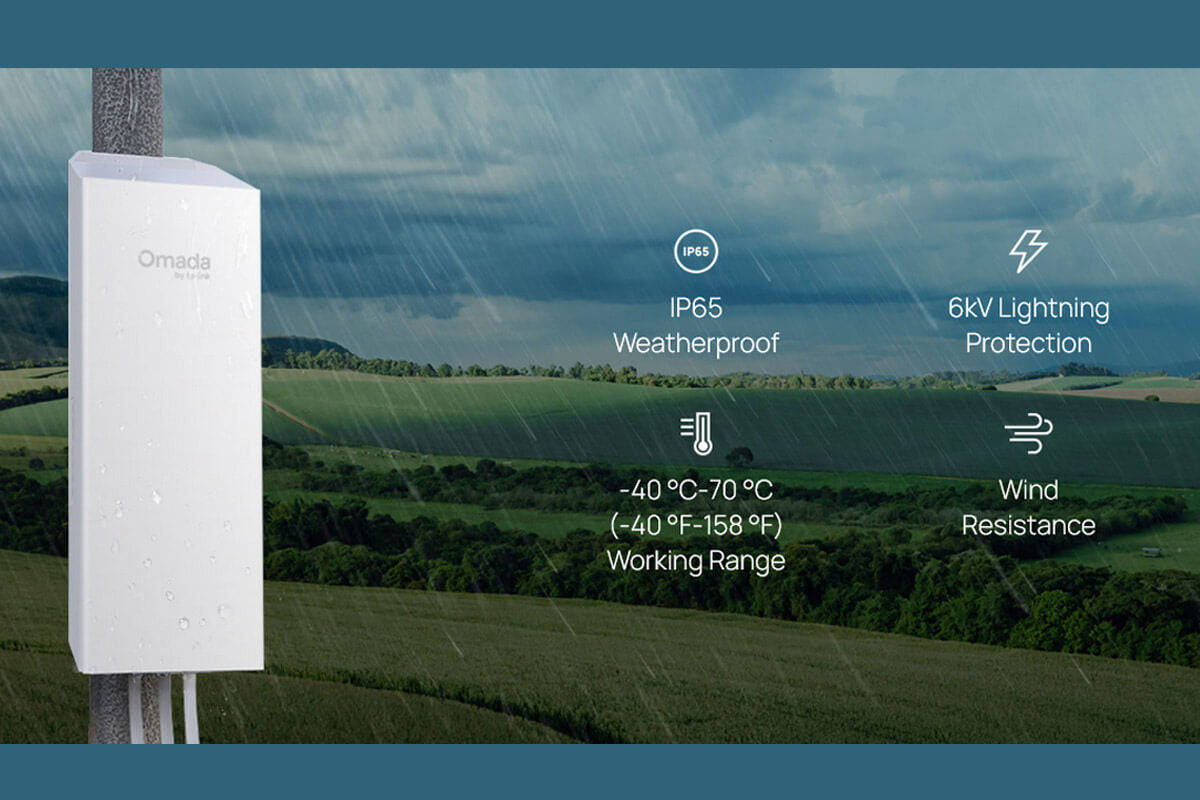
Built for the Outdoors:
- Weatherproof housing for year-round use
- Reliable performance in heat, cold, rain, and snow
- Multiple Ethernet ports for cameras or other wired devices
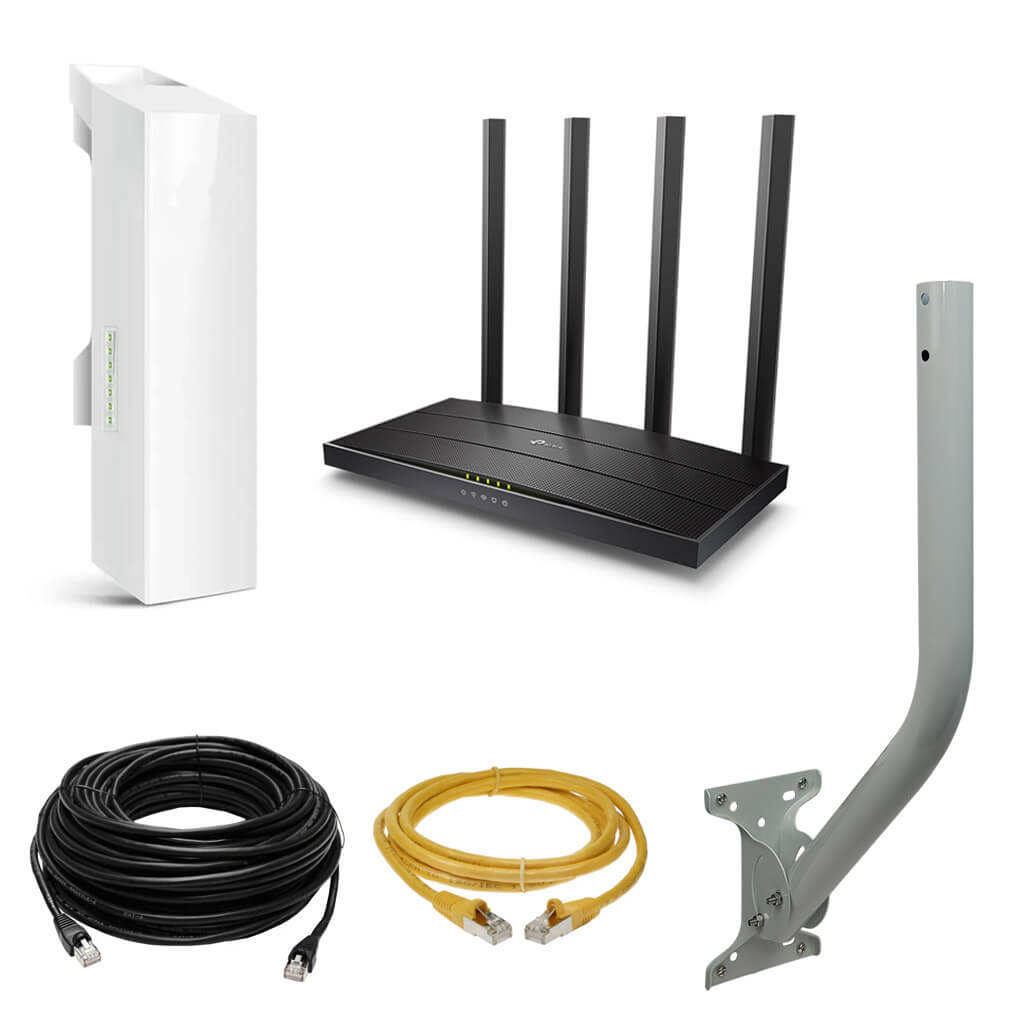
What's Included in Each Kit
Everything you need to get internet from a building to a garages, barn, workshop, etc. The system is preconfigured and ready to install. Each PiFi kit includes the outdoor client antenna, mounting hardware, cables, and an indoor Wi-Fi router. No extra parts required.
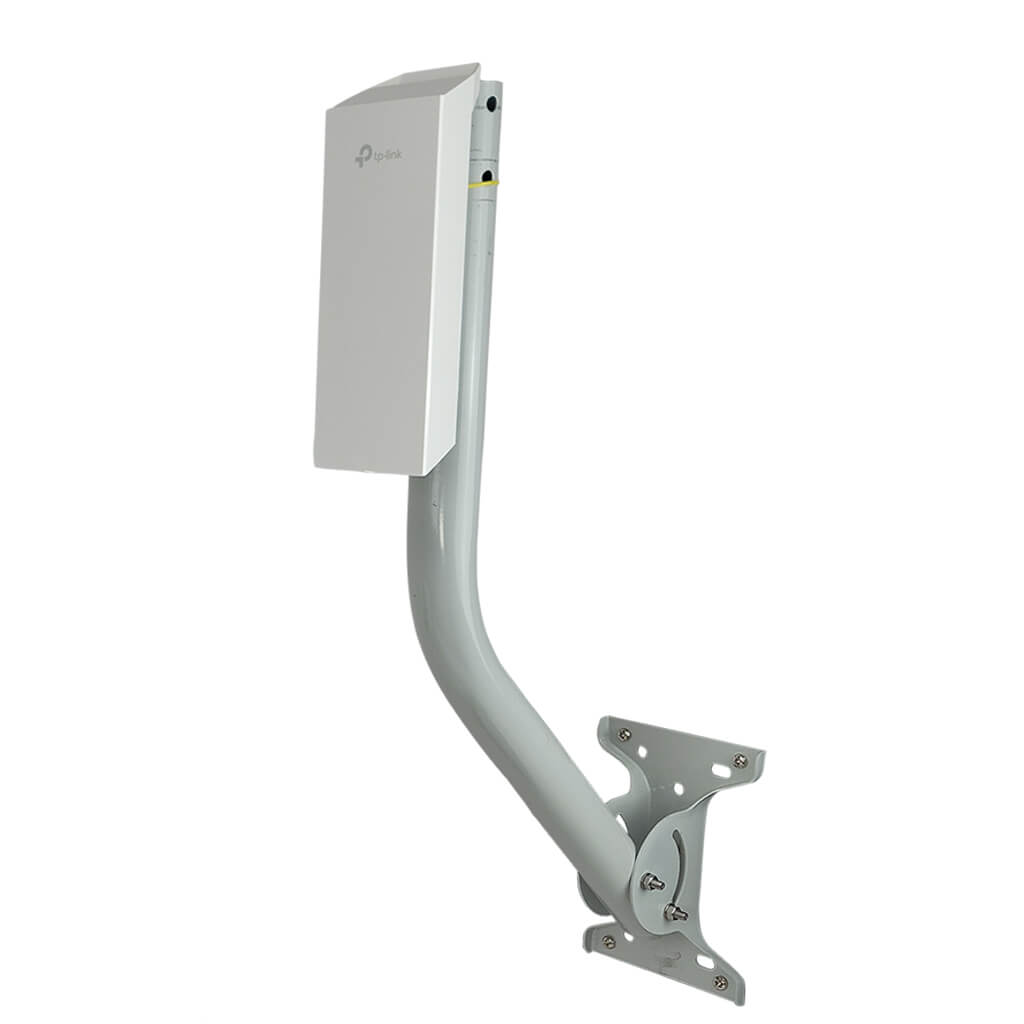
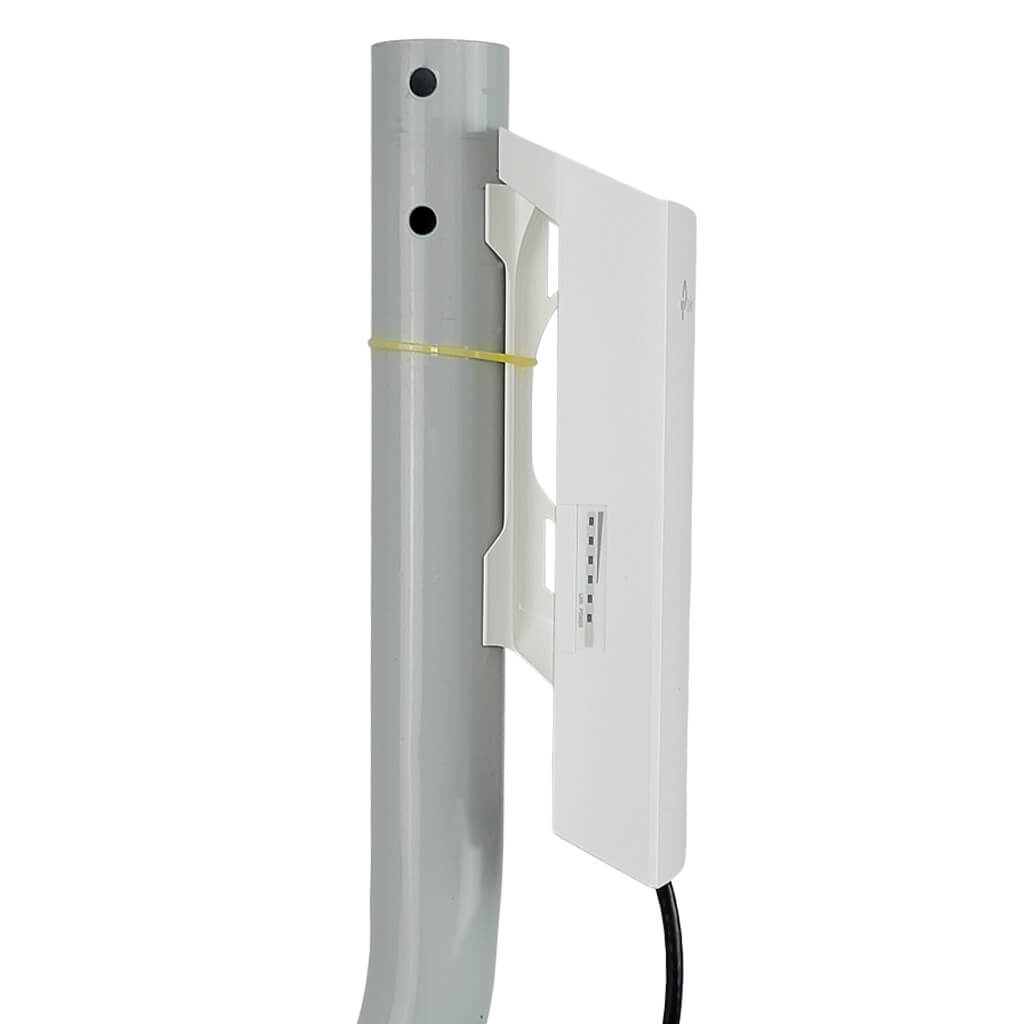
- (1) Outdoor Wireless Client Unit - preconfigured
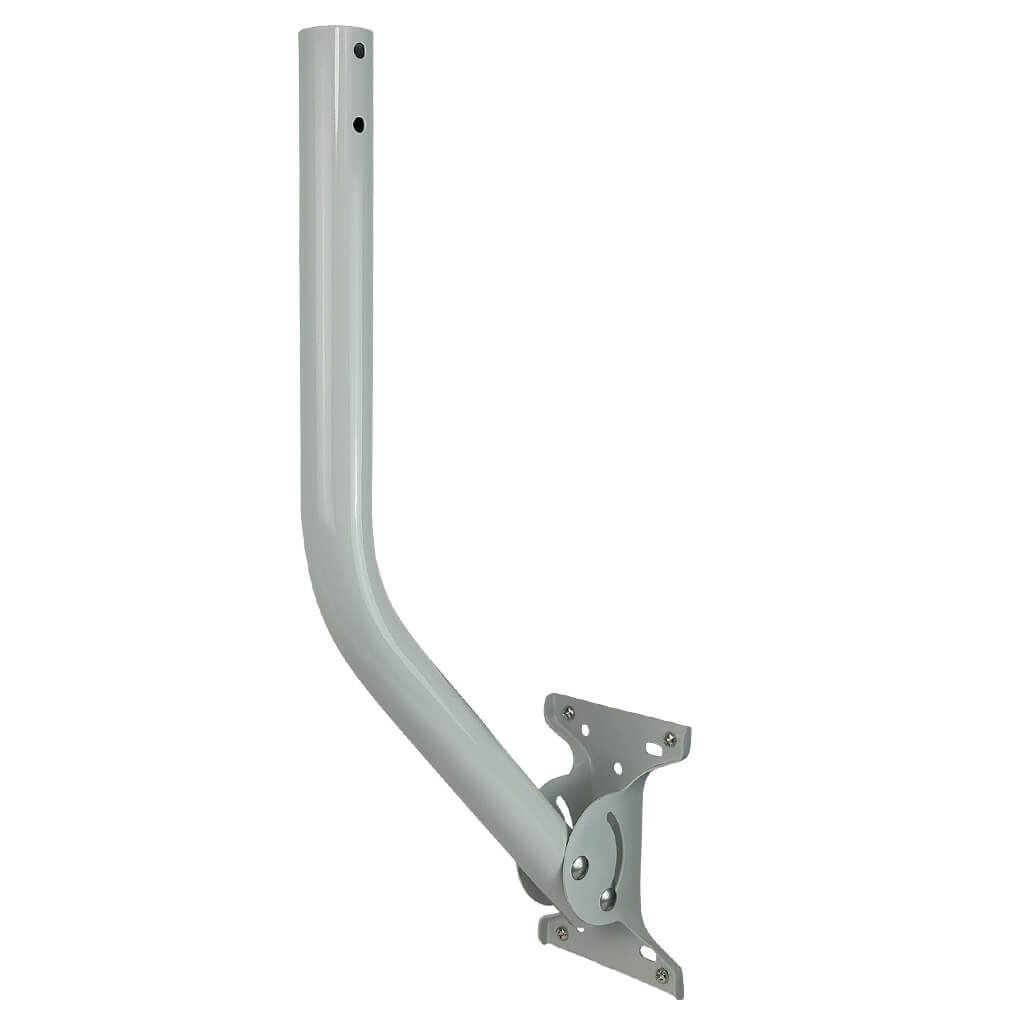
- (1) J-Pole Mount - sturdy outdoor mounting pole
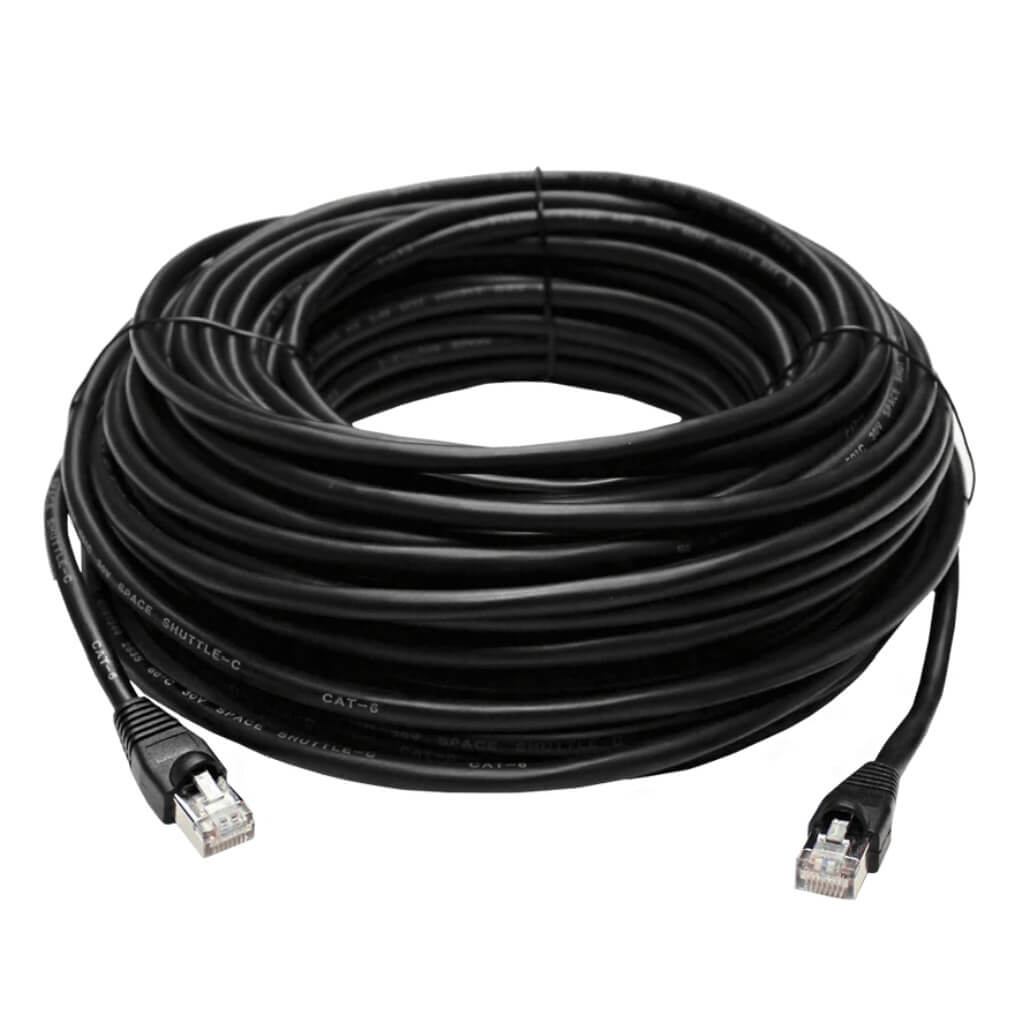
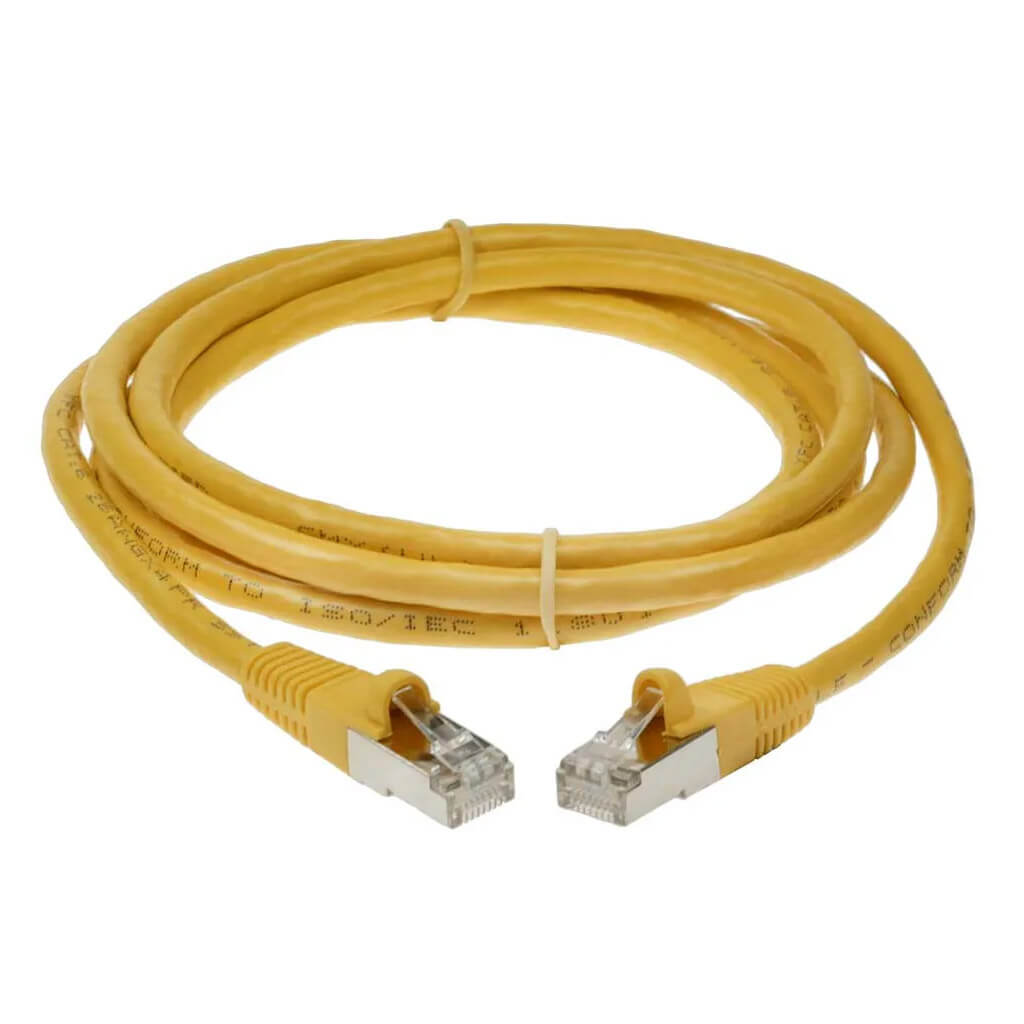
- (1) 50 ft CAT6E Ethernet Cable - for outdoor connection run
- (1) 3 ft CAT6E Ethernet Cable - short indoor connection
(1) Indoor Wi-Fi Router (Archer A6) - creates normal Wi-Fi inside remote building
Frequently Asked Questions (FAQs)
Plain-English answers for farms, ranches, and rural properties.
What problem does the PiFi Wi-Fi Bridge System solve?
It gives you reliable internet in a second building when regular Wi-Fi won’t reach. If your internet is in your house or office and you need Wi-Fi in a barn, shop, garage, or outbuilding, PiFi sends the signal wirelessly—no trenching or buried cable required.
Is this really plug-and-play?
Yes. The system ships preconfigured and pre-paired. You don’t need networking experience or special software. Mount the units, plug in the cables, and follow simple setup steps.
Do I need line-of-sight between buildings?
For best performance, yes. The outdoor units should be able to “see” each other with minimal obstructions. A few trees are usually okay, but buildings, hills, or dense tree lines can reduce range or speed.
How far can it reach?
PiFi is designed for long distances and works best in the 2,000 to 7,500 foot range (depending on kit, terrain, and installation). If you’re on the longer end or have tougher conditions, the 1.5-mile kit is usually the better choice.
Will I have normal Wi-Fi inside my barn or shop?
Yes. The included indoor router creates everyday “home-style” Wi-Fi inside the second building for phones, tablets, TVs, computers, cameras, and more.
Do I get any outdoor Wi-Fi coverage too?
Yes. Along the directional path between buildings, you’ll also have 5 GHz Wi-Fi available outdoors within the system’s focused beam. This can be helpful for yards, equipment areas, or outdoor camera coverage along that line.
Can I use this for security cameras?
It depends. Many Wi-Fi cameras—especially older models—operate only on the 2.4 GHz band and have relatively low-power antennas. In most cases, they can transmit an uninterrupted video signal for up to about 150 feet. Wi-Fi cameras located within 150 feet of the access point on the remote end of the bridge will generally connect reliably. Cameras located farther than 150 feet may connect, but video reliability can be inconsistent. For best results, cameras connected by Ethernet to the access point or switch on the remote end of the bridge will transmit reliably back to the main house over the bridge.
Does it work in bad weather?
Yes. The outdoor components are built for year-round use in rural environments and are designed to handle real-world outdoor conditions like rain, snow, heat, and cold.
Will this slow down my internet?
It’s designed to be fast and stable, but real-world speed depends on distance, terrain, interference, installation quality, and your internet plan. Most customers get more than enough performance for streaming, work, and cameras.
Can I add more buildings later?
In many cases, yes. Adding more buildings can require additional equipment depending on distance and layout. If expansion is in your plans, contact us and we’ll recommend the best path.
What tools or skills do I need to install it?
Basic tools like a ladder, drill, and wrench are usually enough. If you’re comfortable mounting a TV antenna or satellite dish, you can install PiFi. No IT experience required.
What’s included—do I need to buy anything else?
The kit includes the equipment needed to bridge two buildings plus an indoor Wi-Fi router for the remote building. You just need an active internet connection at your main building.
Is this better than running a cable?
For most rural properties, yes. CAT6 cable will only carry a signal 300 feet, so any distance beyond 300 feet would require fiber-optic cables and special network switches. While a cable is feasible for distances under 300 feet, trenching and burying cable can be expensive and time-consuming. PiFi avoids digging while still providing a dependable link between buildings.
What if I’m not sure which kit I need?
That’s common. If you can share the distance between buildings and a quick description of obstacles (trees, hills, buildings), we’ll help you pick the right option.
What if this doesn’t work on my property?
Every property is different. If the system doesn’t meet your needs, returns are accepted according to our return policy. We strongly recommend testing the system before permanently mounting hardware or routing cables so adjustments can be made if needed.
Is there a warranty?
Yes. All included hardware is backed by a manufacturer warranty covering defects in materials and workmanship.
Do you provide customer support?
Yes. We provide U.S.-based support to help with setup guidance, basic troubleshooting, and general questions. PiFi is built to be simple—but we’re here if you want a hand.
I’m not tech-savvy—will you help me get it set up?
Absolutely. We can help you with mounting tips, aiming guidance, and how to verify the connection. You don’t need to be an “IT person” to get this working.
Do I need to hire an installer?
No. Most customers install PiFi themselves with basic tools. Professional installation is optional, not required.
Can I test it before permanently installing?
Yes—and we recommend it. Power up the system and verify performance before final mounting so you can make adjustments easily.
What if something arrives damaged or missing?
If anything arrives damaged or incomplete, contact us right away and we’ll work quickly to resolve it so your installation isn’t delayed.
Will this work with my internet provider (including Starlink)?
In most cases, yes. PiFi works with common services like cable, fiber, DSL, fixed wireless, and Starlink—as long as you have an active internet connection at your main building.
Are there any monthly fees or subscriptions?
No. This is a one-time equipment purchase. There are no monthly fees, licenses, or subscriptions required.
Why buy a complete kit instead of piecing it together?
Because it removes the guesswork. PiFi kits are preconfigured, matched to work together, and supported by a real team—so you avoid compatibility issues and wasted time.